OBS-Overlay
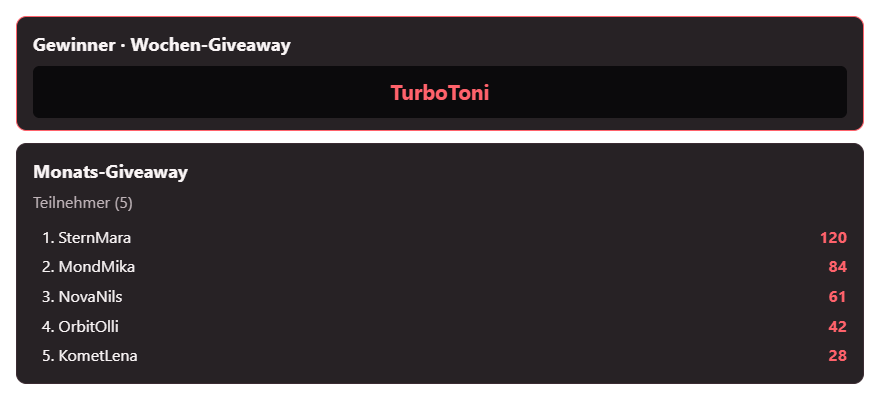
Show participants and points on stream. The animated draw plays live, even when two giveaways run at the same time.
Scheduled entry deadline
Set a date and time to stop entries and point accrual automatically. Start the draw from your dashboard.
Ticket limit per viewer
Cap the number of tickets each viewer can enter, including their starting ticket and tickets earned with points.
Custom chat commands
Set custom commands for joining and checking points. Your join command appears automatically in the OBS overlay.
Two simultaneous giveaways
Run up to two giveaways at once. The join command enters viewers in every round they qualify for. The points command shows their balance for each round.
Each round has its own entrants, reminders, and draws.
Giveaway templates
Save the title, chat reminder interval, and subscriber bonus when you create a giveaway.
Load the template in your dashboard and adjust the settings before starting the next giveaway.
Subscriber bonus
Give Twitch subscribers double or triple points per five-minute window.
To use the bonus, grant Streamdrop access to your channel’s Twitch subscription status.
Follower-only giveaways
Restrict entries to viewers who follow your Twitch channel. Streamdrop checks when they join.
Set this per giveaway and save it in templates.
Custom point rates
Choose how many points participants earn every five minutes. Each point adds one ticket to the draw.
Set the rate to 1 to award one extra ticket per window. The subscriber bonus multiplies the selected rate.